
Mar 17, 2026
LiDAR Data Processing: Turning Raw Zenmuse L3 Data into 3D Models
You've likely heard the noise about the Zenmuse L3. With its move to a 1535nm wavelength and a dual 100MP camera system, it is a significant step up from the L2. But more data means more processing power and a tighter workflow.
Processing LiDAR isn't just about clicking 'go' and waiting for a pretty picture. For UK surveyors dealing with tight Tier 1 project deadlines, the goal is repeatable accuracy. Here is how to handle the latest flagship data.
The Hardware Leap: Why the L3 Changes the Game
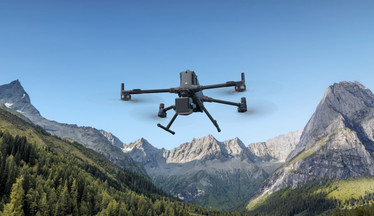
The Zenmuse L3 is built exclusively for the Matrice 400 platform. It features a detection range of up to 950m at 10% reflectivity. That is nearly four times the range of the L2 in similar conditions.
In the UK, this means you can maintain safe offsets from high-voltage lines or unstable quarry faces while still getting dense point clouds. The system now supports up to 16 returns. This allows for unmatched penetration through dense woodland and scrub to find the true bottom.
Step 1: Mission Planning and Acquisition
Your processing efficiency is decided in the air. The L3 uses a high-precision POS system that is significantly more stable than previous generations, but it still requires discipline.
-
Dual Camera Alignment: Ensure your dual 100MP sensors are calibrated. This setup provides the photorealistic "true colour" texturing for your point clouds.
-
Base Station Selection: Use the D-RTK 3 Multifunction Station for the best results with the M400. Centimetre-level precision at the source saves hours of manual alignment later.
-
Return Settings: If you are surveying a typical UK "brownfield" site with heavy overgrowth, set your returns to maximum to ensure you capture the ground through the canopy.
Step 2: Ingest and Post-Processing in DJI Terra
DJI Terra remains the industry standard for L-series data, but it has been updated to handle the L3’s massive file sizes. You'll notice the dual-camera data creates significantly larger projects than the L2 did.
-
Import Raw Data: Load the folder containing your LiDAR and high-res RGB data.
-
Coordinate Systems: For UK work, always specify OSGB36 (British National Grid). Terra handles the transformation during the initial processing.
-
Point Cloud Refinement: The L3 produces incredibly dense data. Use the "Point Cloud Smoothing" tool to manage noise without losing structural detail.
Step 3: ROI and Fleet Management
Upgrading to an M400 and L3 fleet is a major investment. You need to track its performance to see the return.
Managing the maintenance cycles for a high-value rig like the M400 is vital. You can use Dronedesk to manage these complex fleets, tracking battery cycles for your new TB100 units and ensuring that your CAA-mandated maintenance logs are up to date automatically. It removes the admin friction so you can focus on the data.
Delivering the Results
A processed point cloud is only useful if your client can use it. Export your data as LAS or PLY files for use in CAD, or high-res 3D models for BIM environments.
The L3 represents the new "gold standard" for aerial survey in the UK. If you are ready to move your operations from the M350/L2 setup to the